 ALPHA PAY
1 USDT = ₹112*
ALPHA PAY
1 USDT = ₹112*
USDT • INR ORDERS • ASSET TOOLS
Alpha Pay India guide for login, register & USDT.
Learn how to access Alpha Pay, understand the displayed USDT-to-INR rate, review the app interface and follow practical account-safety checks before using the platform.
*Displayed values can change. Verify current rate, rewards and terms inside the live platform before taking action.
Displayed rate
₹112
for 1 USDT*
Displayed cashback
3.5%
verify current terms*
QUICK LINKS
Start with the right page
Use these pages for login, registration, rate information and account-safety checks.
Alpha Pay Login
Access guidance, common login checks and what to verify before signing in.
Read login guide →Alpha Pay Register
Registration steps, destination checks and account setup guidance.
Read registration guide →USDT to INR Rate
Understand the ₹112 displayed rate and how the calculator estimates INR.
Check rate guide →Safety Checklist
Basic checks for domains, payment instructions, OTPs, UPI PINs and account access.
Read safety guide →
ALPHA PAY FEATURES
Important tools explained in plain language
A practical overview of the main Alpha Pay screens and information shown on this website.
USDT Rate Information
See the promotional USDT value currently displayed on this website and use the calculator for estimates.
INR Order Tools
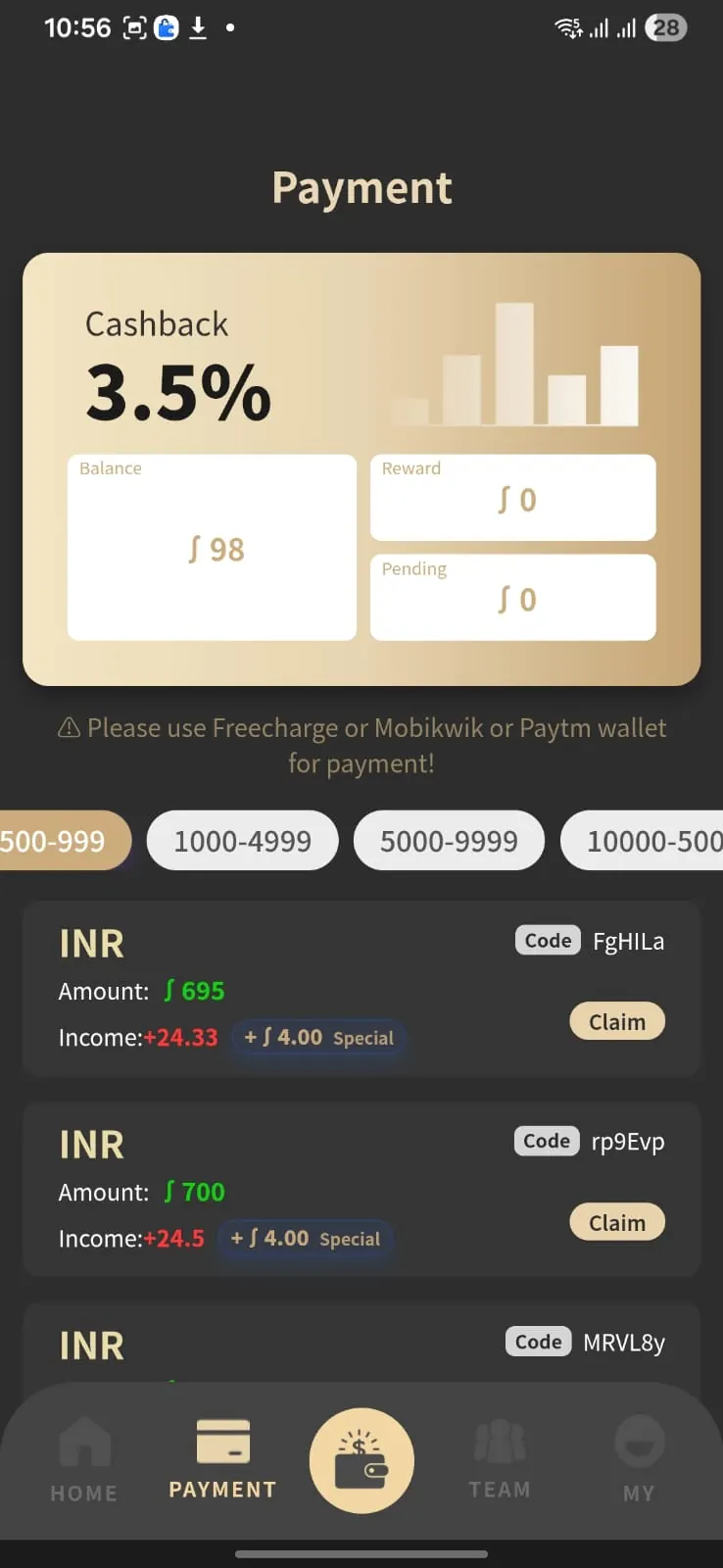
The app screenshots show INR payment-order options and account information in the Alpha Pay interface.
Cashback Display
The Alpha Pay interface shown here displays a 3.5% cashback figure. Check current eligibility and terms before relying on it.
Asset Center
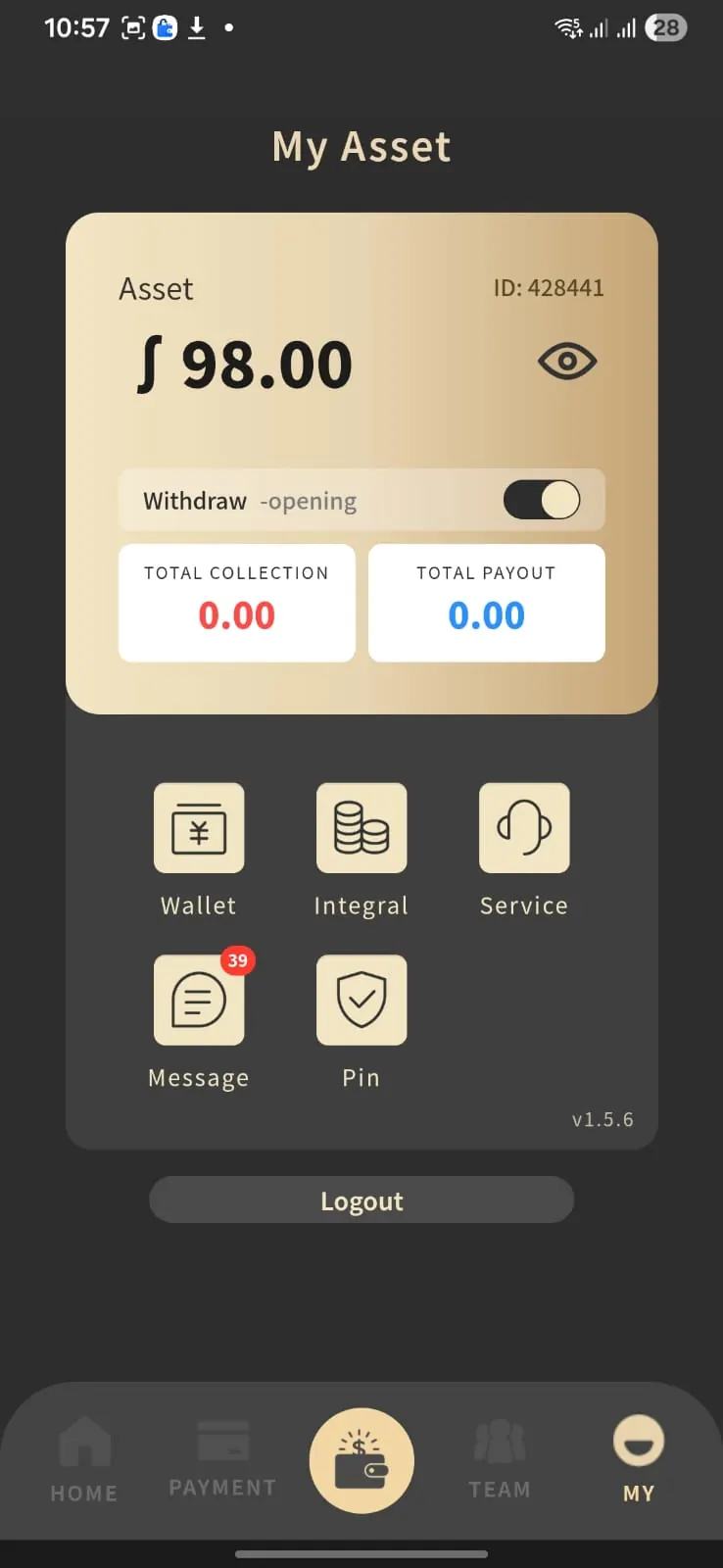
Review the screens for asset value, collection, payout, wallet and other account-related tools.
USDT TO INR CALCULATOR
Estimate USDT to INR
Enter any USDT amount to estimate its INR value using the website's configured ₹112 rate.
1 USDT
Input asset
₹112 INR
Displayed rate*
Live
Instant calculation
USDT → INR
₮
Exchange Calculator
USDT
⇅
₹11,200
INR
Displayed rate
1 USDT = ₹112*
HOW IT WORKS
A simple four-step overview
The exact in-app workflow may change. Always follow the current instructions shown by the platform.
Open or Register
Use the current Alpha Pay access link already configured on this website.
Review an Order
Check the displayed amount, payment details and any eligibility requirements.
Follow App Instructions
Proceed only according to the current order and payment instructions shown inside the app.
Track Status
Use the account, asset and history tools to review the status displayed by the platform.
ALPHA PAY SCREENSHOTS
See the Alpha Pay app interface
Review the home, payment and asset screens to understand the interface before opening the live platform.
Home Dashboard
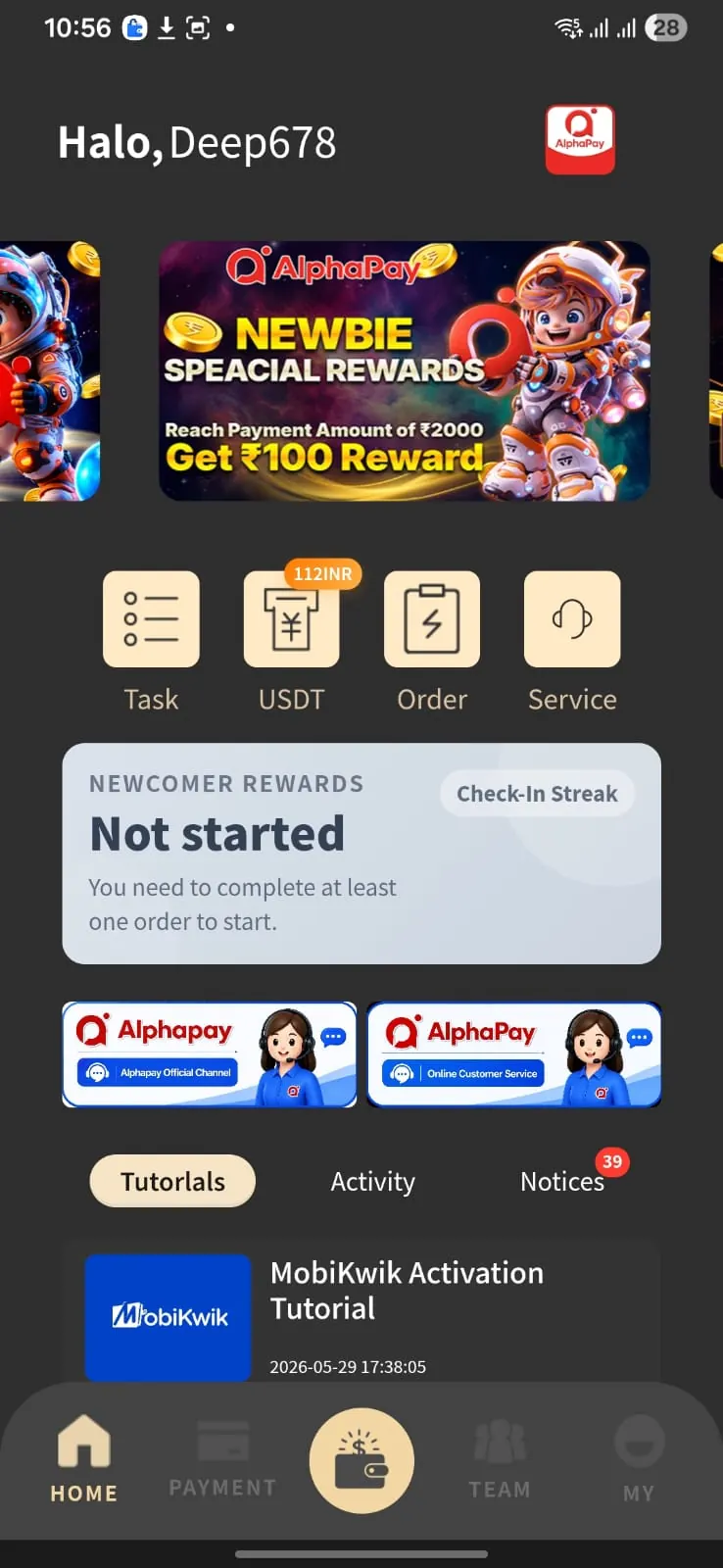
USDT access, tasks, order shortcuts, rewards and support options.
Payment Center
INR values, displayed cashback, balance and order actions.
Asset Center
Asset value, collection, payout, wallet and account tools.
ALPHA PAY GUIDE
What should visitors check first?
Start by checking the current USDT rate, the exact INR amount shown on an order and the payment instructions. Rates, rewards and app features can change, so the current in-app information should take priority over an older screenshot.
For a safer visit, confirm the current domain, rate, order amount and payment instructions before you proceed. Screenshots are illustrative and may differ from the live interface.
ALPHA PAY FAQ
Answers to common questions
Quick answers to common Alpha Pay access, rate and account-safety questions.
This website displays 1 USDT = ₹112. Verify the current platform rate because values can change.
The interface shown on this website displays a 3.5% cashback figure. Verify current eligibility and terms in the live platform.
Use any Register or Open Alpha Pay button on this site and verify the destination before entering account information.
No. This page is an informational and promotional guide. The live platform controls its own accounts, orders and payment workflow.